

Best 19-Inch System Integration Cabinets for Effortless Network Organization
2026-05-10
Organizing network hardware can quickly spiral into chaos without the right infrastructure. The right 19-inch system integration cabinet turns a tangled mess into a streamlined, efficient setup that saves time and frustration. At TPS, we’ve seen how the proper enclosure not only protects critical equipment but also simplifies maintenance and scalability. In this guide, we’ll explore the features that set top-tier cabinets apart and help you choose the perfect fit for effortless network organization.
Choosing Between Wall-Mount and Floor-Standing Enclosures
The decision between a wall-mount and a floor-standing enclosure often comes down to your physical space and how you intend to access the equipment. Wall-mount cabinets are a natural fit when floor area is at a premium—think narrow hallways, utility closets, or rooms where you need to avoid blocking foot traffic. They keep gear tucked out of the way while still offering reasonable accessibility, though you’ll want to plan cable entry carefully since the depth and weight capacity are more limited.
Floor-standing enclosures, on the other hand, provide room to grow. If you’re housing deeper servers, heavy battery backups, or a tangle of networking gear that demands ample airflow, a free-standing rack gives you the breathing space that a wall-mount simply can’t. They also simplify cable management because you can route bundles from above or below without fighting tight clearances. The trade-off is footprint: you need a stable, level floor area and enough clearance for doors and side panels to open fully.
Beyond dimensions, think about thermal behavior and noise. Wall-mounted enclosures often place equipment closer to ear level, so any built-in fans or buzzing components may be more noticeable in occupied spaces. Floor-standing racks tend to sit lower, and their larger volume can better accommodate sound dampening and forced-air management. Either style can work beautifully with adequate planning—just match the enclosure to the load, the environment, and the daily workflow of the people who will interact with it.
The Quietest Cooling Fans Don’t Have to Be Expensive
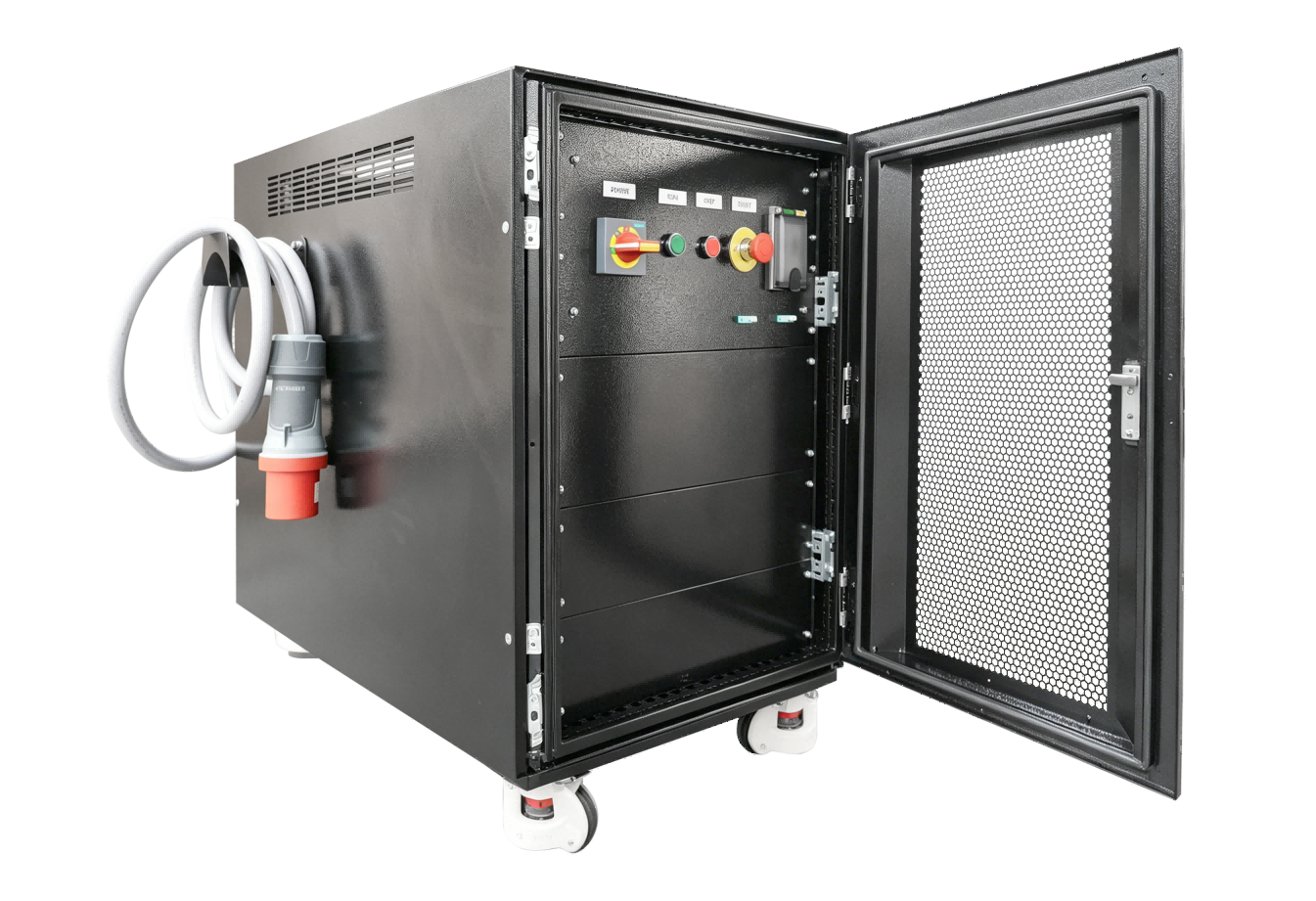
Many people assume that achieving near-silent cooling requires shelling out a small fortune, but that's often a misconception fueled by premium branding. The noise level of a fan is primarily determined by its bearing type, blade design, and motor quality—factors that aren't exclusively tied to price tags. In fact, some of the quietest fans on the market come from lesser-known brands that prioritize engineering over flashy marketing.
Fluid dynamic bearings and magnetic levitation bearings, for instance, drastically reduce friction and noise compared to older sleeve bearings, and they've become increasingly affordable. You can find 120mm fans with these technologies for under $15, delivering sound levels below 20 decibels. The key is to look past the hype and focus on spec sheets that list noise ratings in sones or dBA rather than gimmicky LED lights or aggressive aesthetics that bump up the cost without improving performance.
It's also worth noting that damping mounts and fan curves play a huge role. Even a budget fan can be made whisper-quiet with proper case mounting and a custom fan curve in your BIOS. Spending extra on a "silent" label doesn't guarantee silence if your setup isn't optimized. Ultimately, a quiet PC is more about smart selection and tuning than about how much you spend.
How Adjustable Rails Prevent Installation Nightmares
Few things derail a cabinet project faster than discovering your walls aren't perfectly straight. Adjustable rails give you the breathing room to compensate for uneven surfaces or unexpected stud placements, letting you slide brackets into optimal positions instead of forcing standard mounts into a misaligned framework. That flexibility means you spend less time with shims and filler strips and more time admiring a clean, finished look.
When every hole has to line up just right, one miscalculation can lead to a cascade of patch-ups. Adjustable rails eliminate guesswork by letting you fine-tune fitment on the fly—whether you're working with a newly framed wall or a century-old lath-and-plaster situation. By absorbing minor discrepancies in width and level, they keep the installation process smooth and frustration-free, turning a job that could take hours into one that takes minutes.
Adjustability also means you can revise your layout without a complete teardown. If you decide to shift a cabinet a few inches left or right, heavy-duty adjustable rails let you reposition without drilling a new set of anchors. That kind of built-in forgiveness is what separates a nerve-wracking installation from one that feels nearly foolproof.
Cable Management Accessories That Hide the Mess
Tangled cords and sprawling wires can turn even the most stylish workspace into a visual disaster. From adhesive-backed cable raceways that blend seamlessly with baseboards to sleek under-desk trays that keep power strips off the floor, the right accessories make all the difference. They don't just organize—they vanish the chaos entirely, letting your desk breathe and your mind focus.
For those tight on space or renting where drilling isn't an option, there are clever no-damage solutions. Magnetic cable clips snap onto desk legs to guide wires out of view, while fabric sleeves bundle multiple cords into one streamlined tube. Even something as simple as a cable management box can turn a rat's nest of power adapters into a neat little package that tucks behind a monitor or under a shelf.
It's not just about hiding; it's about creating a system that lasts. Adjustable wire looms and reusable zip ties let you add or remove devices without cutting through a mess. And for charging stations, upright cable organisers with weighted bases keep phones and tablets in one spot while routing the cords downward—out of sight, out of mind. These small changes add up to a workspace that finally feels clear, calm, and completely your own.
Locking Your Cabinet Without Forgetting the Keys
I used to leave keys in the lock, rush off, and then panic later when I couldn't find them. The simplest fix? A small magnetic hook on the cabinet side. As soon as I unlock, the key goes there. It's become muscle memory now—no more frantic pat-downs.
For cabinets I only open occasionally, I keep a designated key bowl in the same room, miles from the trash can or catch-all drawers where things disappear. It's ugly but works: a bright red dish right under a lamp. If the key isn't in the lock or on the hook, it's there.
Combination padlocks solved the problem for our storage cabinet in the garage. No key to lose, just a number we both remember. If you're worried about forgetting the code, add a subtle hint near the cabinet that only you'd understand—like a plant pot with a three-digit number embedded in the pattern.
Why Pre-Assembled Cabinets Save Weekend Projects
You clear a Saturday for a kitchen update, but by noon you're still untangling hardware from a flat-pack box. Pre-assembled cabinets skip that chaos—they show up whole, doors aligned, shelves installed. You lift each unit off the pallet and bolt it to the wall in minutes, not hours. The advantage is simple: time you'd spend deciphering diagrams and searching for missing screws goes back into your weekend.
That efficiency changes the rhythm of a project. Instead of a three-day slog stained with frustration, you wrap up before dinner on day one. No loose hinges to tweak, no gaps that need filler. You're left with a room transformed and a Sunday still yours—no cleanup pile mocking you from the corner.
FAQ
They provide a standardized framework that simplifies equipment mounting, improves airflow management, and makes cable routing far easier — ultimately reducing clutter and saving time during maintenance.
Consider both the current equipment you have and any future expansions. Measure the total rack unit (U) height needed, and leave extra space for proper cooling and cable management accessories.
Sturdy steel frames with a powder-coated finish are ideal, as they resist corrosion and handle heavy loads. Some also include tempered glass or ventilated doors for added visibility and airflow.
Many come with pre-assembled parts, adjustable mounting rails, and removable side panels, which make setup straightforward even in tight spaces. Clear instructions and included hardware help a lot too.
Yes, they are built to house everything from switches and servers to patch panels and cable organizers. Just ensure the weight capacity and depth can accommodate your heaviest gear.
Look for options with built-in fan mounts, vented tops, or mesh doors. Proper cooling prevents overheating and ensures reliable performance, especially when running multiple high-power devices.
Conclusion
Deciding between a wall-mount and floor-standing enclosure shapes your entire setup. Wall-mounted saves space and suits compact rooms; floor-standing handles heavier loads and leaves room to expand. Regardless of style, noise matters—modern quiet fans prove you don't need to spend a fortune to avoid constant drone. Inside the cabinet, adjustable rails are a silent hero. Fixed rails turn every future upgrade into a wrestling match with screws and slots, so the ability to tweak depth on the fly is more than a convenience—it keeps installation nightmares at bay.
Managing cables can feel like a losing battle until you add a few well-chosen accessories. Brush panels, horizontal managers, and ring organizers don't just hide the mess; they make tracing connections simpler and airflow better. Security lapses happen when clumsy lock systems push you to leave the door unsecured. A lock that integrates with your existing keys or uses a code means you'll actually lock it every time. And when a cabinet arrives mostly built, the schedule relief is real. Pre-assembled designs cut a tedious Saturday into a quick afternoon, leaving you with a polished, functional rack instead of a pile of parts and frustration. That's the kind of thoughtfulness that makes network organization feel effortless.
Contact Us
Contact Person: Lily
Email: [email protected]
Tel/WhatsApp: +49 (0) 2161 49526-0
Website: https://tps-elektronik.com/en/